
Updated controls after the launch slides
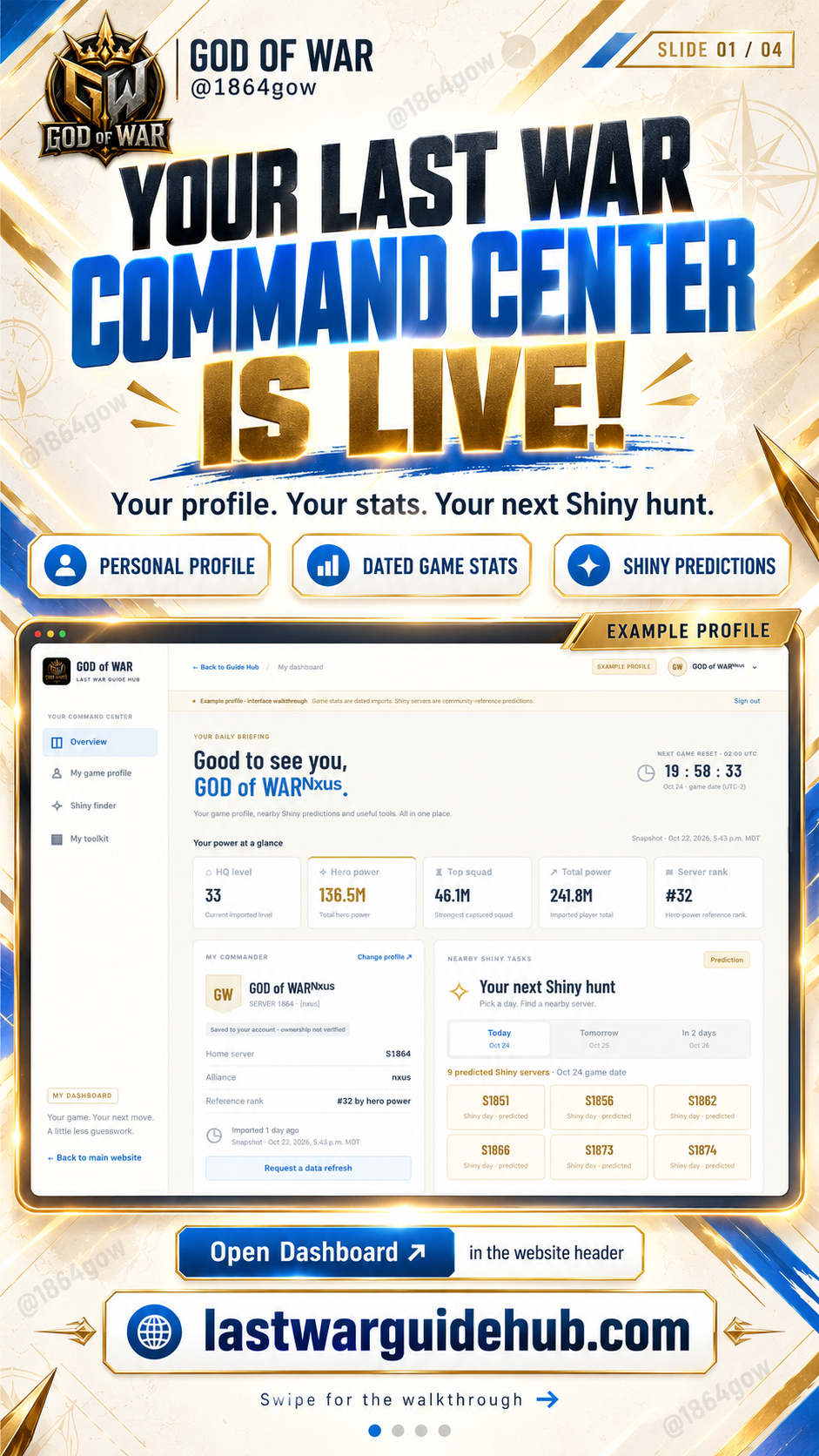
The slides show the launch walkthrough using a labelled example profile. The current dashboard now has player comparisons and a safer identity flow: Compare with me is for other players; Correct my saved profile → This is my profile is for your own identity. You can correct a selection immediately. Shiny coverage has also expanded to 2,304 checked servers between S3 and S2308; the original slide shows the smaller launch coverage.
Open your dashboard
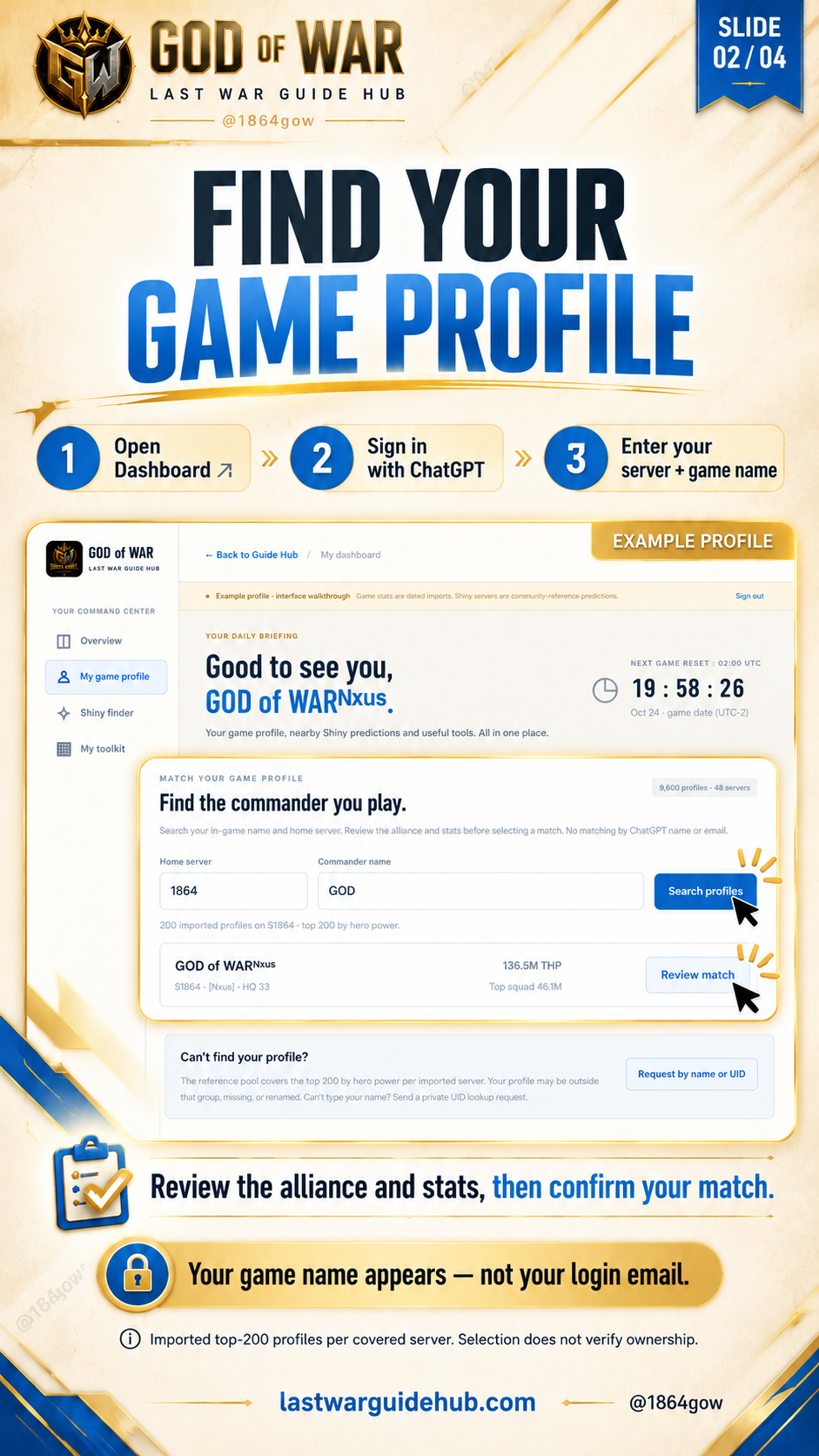
Click Dashboard ↗ in the website header or the My dashboard button on the homepage. It opens in a new tab, so your guides stay open. Sign in with ChatGPT. Inside the dashboard, Back to Guide Hub and the creator logo return to the main website.
Set your own game identity
On first use, search your home server and in-game name. Review the commander’s name, alliance, HQ and imported stats, choose This is my profile, and confirm that it is your own commander. Your selection is saved to your signed-in account. It also updates your Transfer Tool gaming identity; it does not rewrite existing applications.
Once a profile is saved, search results default to comparison mode. Other players have Compare with me, which never changes your identity. To fix a wrong selection, use Correct my saved profile, choose your commander and confirm. Corrections are immediate. The 24-hour limit applies to data requests, not changing your selected profile. Selecting a profile does not verify ownership of the game account.
Compare your progress with another player
Open My game profile, search a server or commander, and select Compare with me beside another player. You need a confirmed imported profile of your own first. The comparison shows HQ level, total hero power, top squad power, total player power and server hero-power rank, with differences and power percentages against the selected player.
Server ranks are compared only within the same server. Missing stats are left unavailable. Both import timestamps are shown, with a notice when they differ. Higher power is not a guaranteed battle win; hero choices, gear, research, troop composition and buffs also matter.
Read your stats and Shiny predictions
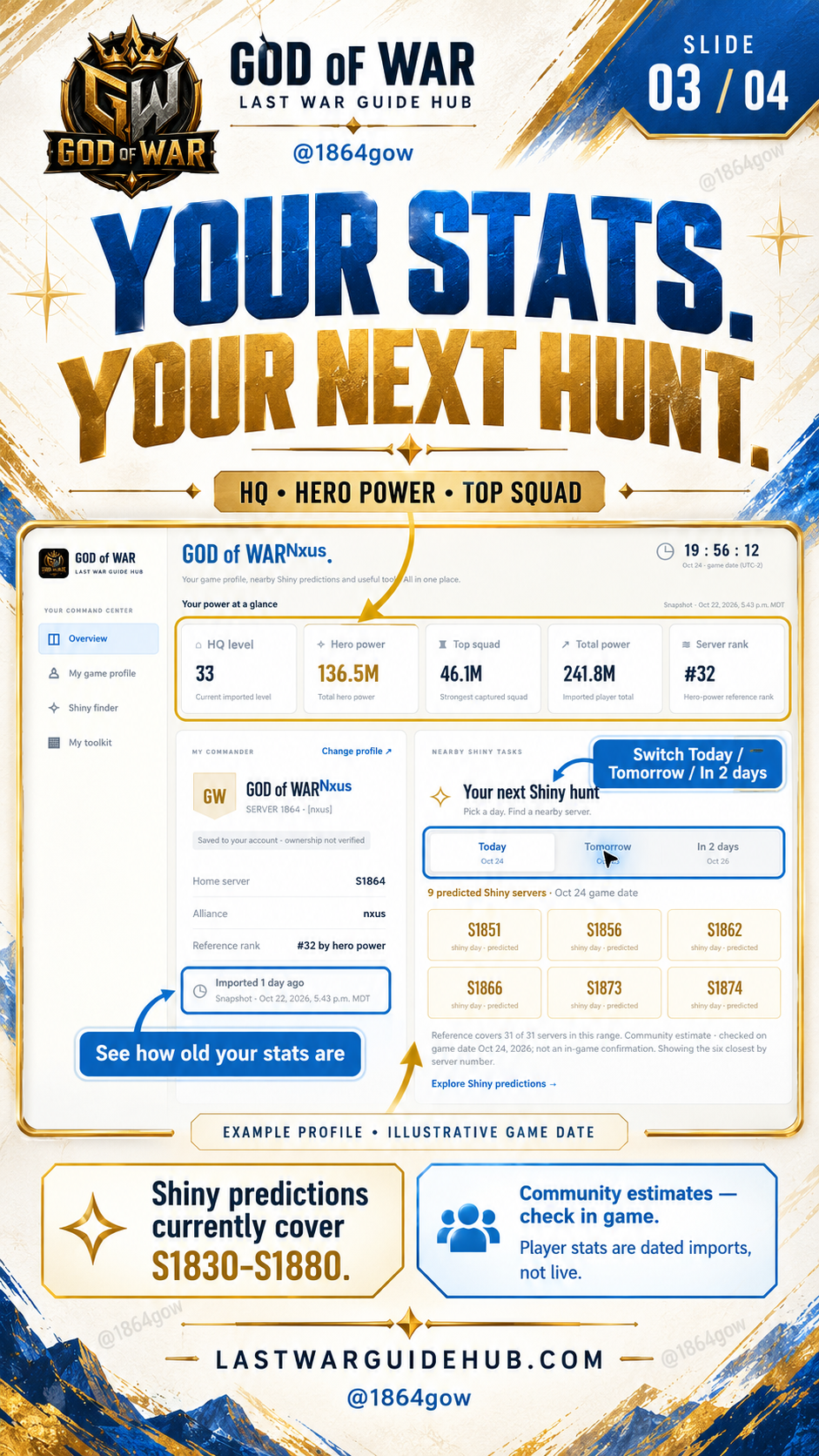
Your overview shows imported HQ, hero power, top squad, total power and server rank, together with snapshot age and import time. These are dated manual imports, not a live game feed. The shared reference pool covers the top 200 by hero power per imported server; it is not a complete player census.
The Shiny panel offers Today, Tomorrow and In 2 days, plus a finder for a nearby numeric server range. The calibrated reference now contains 2,304 known servers between S3 and S2308, based on the community groups manually checked on the October 24, 2026 game date. Missing server numbers are not guessed. Predictions use a 02:00 UTC reset and stop after the seven-day review window until recalibrated. They are community estimates, not official game confirmations or live task scans. Check in game; nearby server numbers do not prove a server is reachable or plunderable.
Request a missing profile by name or UID
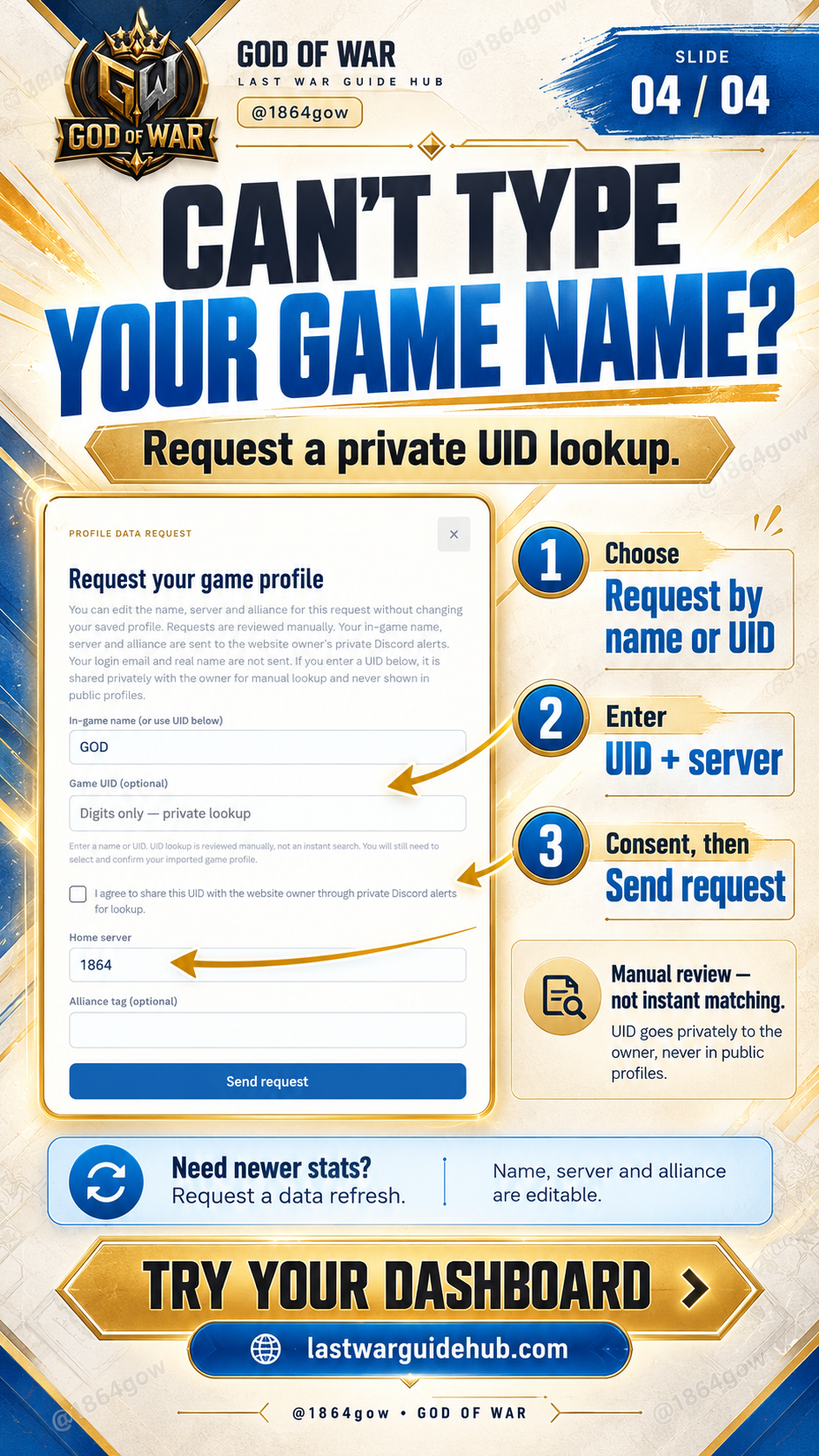
If your commander is missing or your name is difficult to type, choose Request by name or UID. Enter your home server and either your in-game name or your numeric game UID. Alliance is optional. A UID request requires consent to share it privately with the website owner through Discord alerts.
UID lookup is manually reviewed, not an instant UID search or automatic account match. It does not automatically change your saved profile. You still need to select and confirm your imported profile. UIDs are not added to public profiles, search results or transfer shortlists. Your login email and real name are not sent in the alert. Private UID lookup requests are limited to one per account every 24 hours.
Ask for newer player data
Choose Request a data refresh. The request form lets you edit the commander name, server and alliance without changing your saved identity. Imports and requests are manually reviewed; submitting a request does not start an automatic source scan.
Standard server refreshes reuse the Transfer Tool’s freshness checks, pending-request support and 24-hour request limits. Edited personal-profile requests also have a 24-hour limit. These request limits never prevent you from correcting the profile you selected.
The four TikTok slides
Original blue-and-gold GOD of WAR launch posters, including the corrected second slide. Screenshots show an example profile and illustrative game dates, not current live player data or a promise of today’s Shiny tasks. Tap any image to open it full size.
Packs for this guide
Optional progression purchases; using the dashboard, transfer tool and task finder is free. These are topic-based options, not verified item-for-item matches to the guide. Check contents, regional eligibility and the final total before buying.
NewUser Only
For eligible new LootBar customers; check the offer restrictions.
Super Monthly Pass
Compare the current monthly rewards with your progression priorities.
CAD figures are historical references supplied on October 21, 2026. Live prices may be higher or lower and vary by currency, promotion and coupon.
Affiliate disclosure: GOD of WAR may earn a commission from eligible purchases through these links. LootBar is an independent third-party store, not the official Last War store.
How it works: no game password needed — after checkout you redeem the pack inside your own Last War account (delivered in about 5 minutes). Note: in-game Gold Bricks are used first; platform packs can be redeemed once no Gold Bricks remain. New to LootBar? Enter code #sZTU at signup for a 5% coupon. Purchases through these links support the free guides at no extra cost to you.
Delivery time is LootBar’s estimate, not a guarantee. Coupon eligibility, limits and availability apply; check the offer at signup. Follow the current Self-TopUp instructions and supported purchase modes. Our website never asks for your game password.